Smart home devices rarely require manual IP configuration because they advertise their capabilities using zero-configuration multicast protocols. When developing Home Assistant integrations, diagnosing AirPlay speaker dropouts, or finding IP camera video streams, here is how to discover them on Windows.
The 3 Major Local Discovery Protocols
- mDNS / DNS-SD (Bonjour / ZeroConf): Used by Apple AirPlay, Google Cast / Chromecasts, ESPHome nodes, OctoPrint, and network printers (
.localdomains). - UPnP / SSDP (Simple Service Discovery Protocol): Used by Philips Hue bridges, Sonos audio systems, DLNA media servers, and smart TVs (UDP port 1900).
- WS-Discovery (Web Services Discovery): Used by modern Windows network printers, NAS storage appliances, and ONVIF IP security cameras (UDP port 3702).
Multi-Protocol Discovery with fTool Home Network Probe Pro
Rather than installing separate command-line Python scripts or heavy network capture software, fTool Home Network Probe Pro incorporates native listeners for all three protocols.
Choose the Discovery Protocols
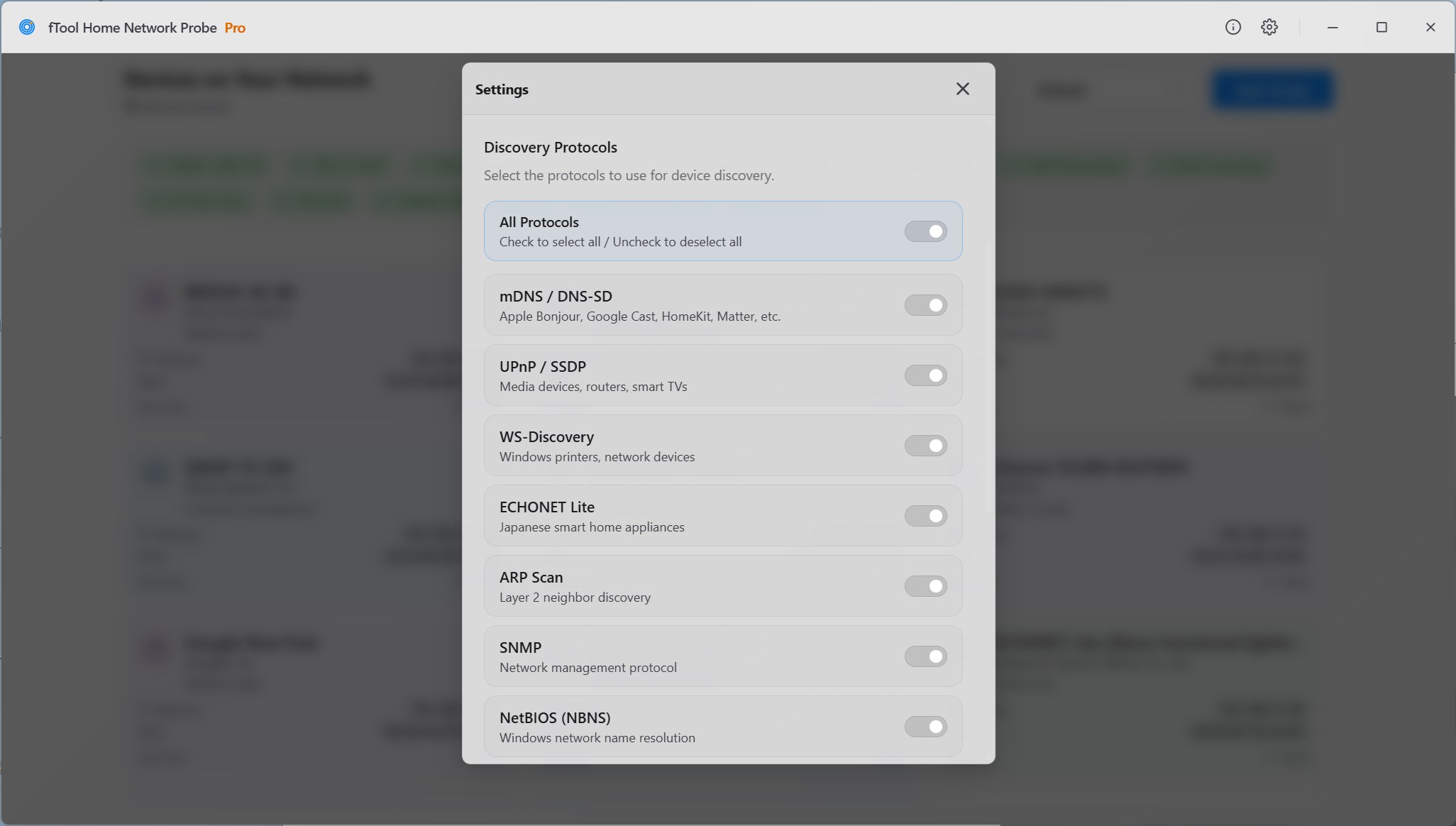
Open Settings from the gear icon in the title bar. Under Discovery Protocols, mDNS / DNS-SD, UPnP / SSDP and WS-Discovery are switched on by default. To see only what the multicast protocols report, switch the other protocols off. Your choice is kept for the next probe.
Start a Probe
Click Start Probe. The app sends DNS-SD queries over mDNS (UDP 5353), SSDP M-SEARCH requests (UDP 1900) and WS-Discovery probes (UDP 3702), then merges the answers into one card per device. mDNS keeps listening for about 15 seconds, so slow responders still make it into the list.
Read Each Device's Services
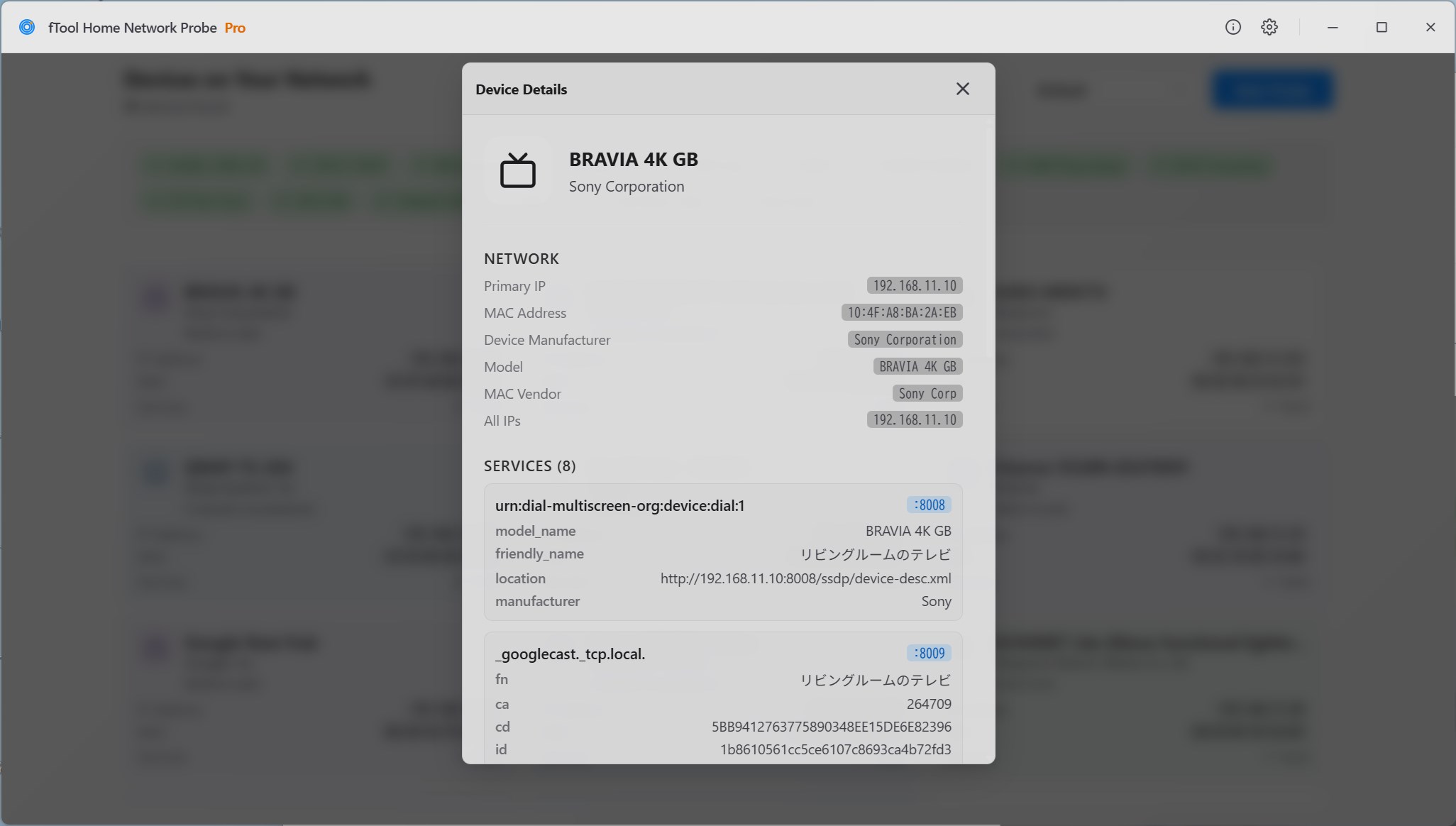
Select a device to open Device Details. You see the friendly name, manufacturer, model name and model number a UPnP device describes, and every service type it announces (e.g. _googlecast._tcp, _spotify-connect._tcp) with its port and TXT records. To reach a device's own web page, type its IP address and the HTTP port shown into your browser.
fTool Home Network Probe Pro for Windows 11 & 10
Scan IP subnets, resolve MAC vendors, and discover mDNS, UPnP, and WS-Discovery smart home nodes in one native, private Windows tool.