fGadget CPU Meter Icon
Windows 11 / 10 100% Ad-Free One-Time Purchase

Desktop Performance Monitor

fGadget CPU Meter

Your PC's vital signs on an analog gauge that lives on your desktop, rebuilt for Windows 11 and 10. Lite shows CPU and RAM at a glance; Pro puts CPU, RAM, GPU, VRAM and disk activity on up to eight meters, with alerts that name the process slowing you down.

No Subscription Low Resource Footprint Verified by Microsoft
fGadget CPU Meter Pro gauges for CPU, RAM, GPU and VRAM on the desktop

Why fGadget CPU Meter

Real-Time Performance at a Glance

No window to open, no tab to switch to: you glance at it the way you glance at a clock. Native code with no runtime keeps it light on the machine it measures.

Real-Time CPU & RAM

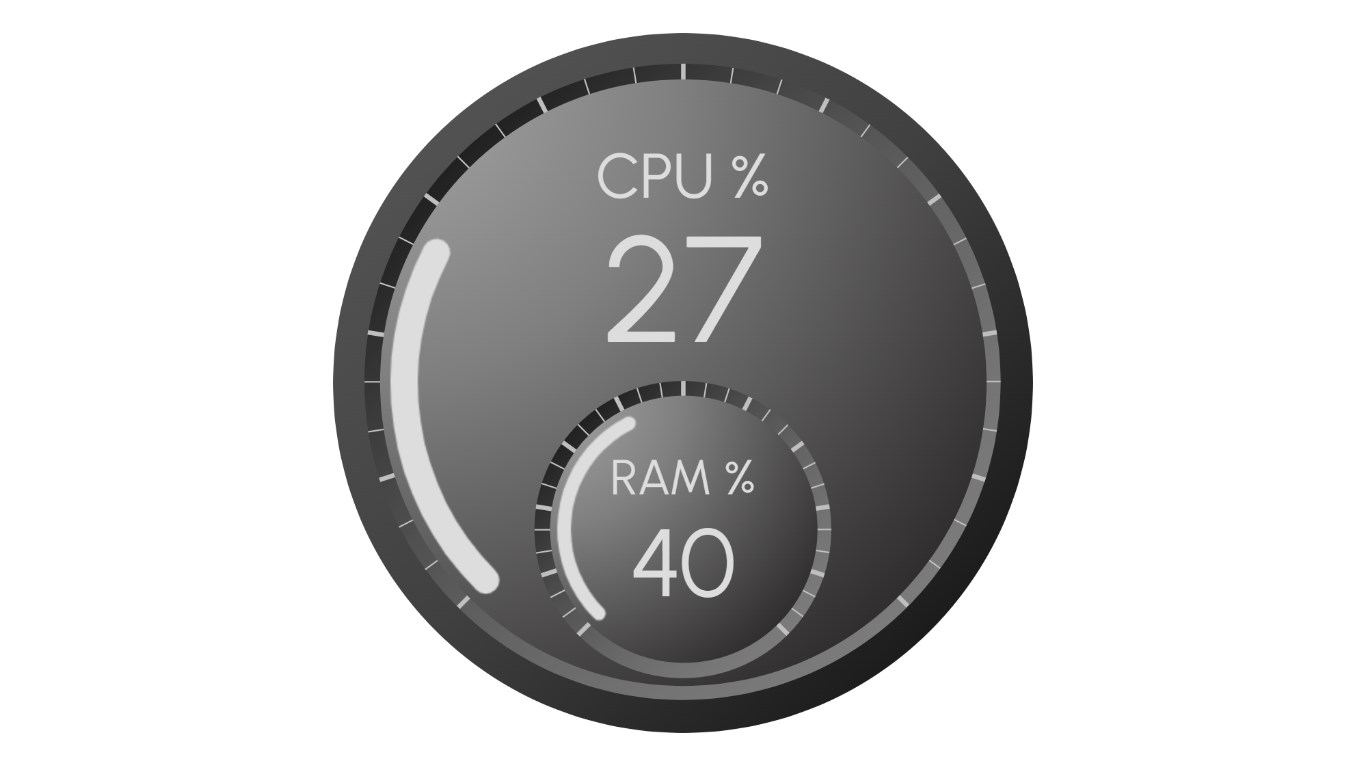
CPU sweeps around the large arc and is printed big in the middle, with RAM just below it. Cross your red zone and the dial turns red.

Pinned to Desktop

The gauge stays in sight when you press Win+D, sitting just above the wallpaper and always behind your other windows.

Speaks Your Language

Nine display languages, picked from your Windows display language on first launch, and a Windows 11-style Preferences window that follows light and dark mode.

Choose Your Edition

Lite vs. Pro Edition

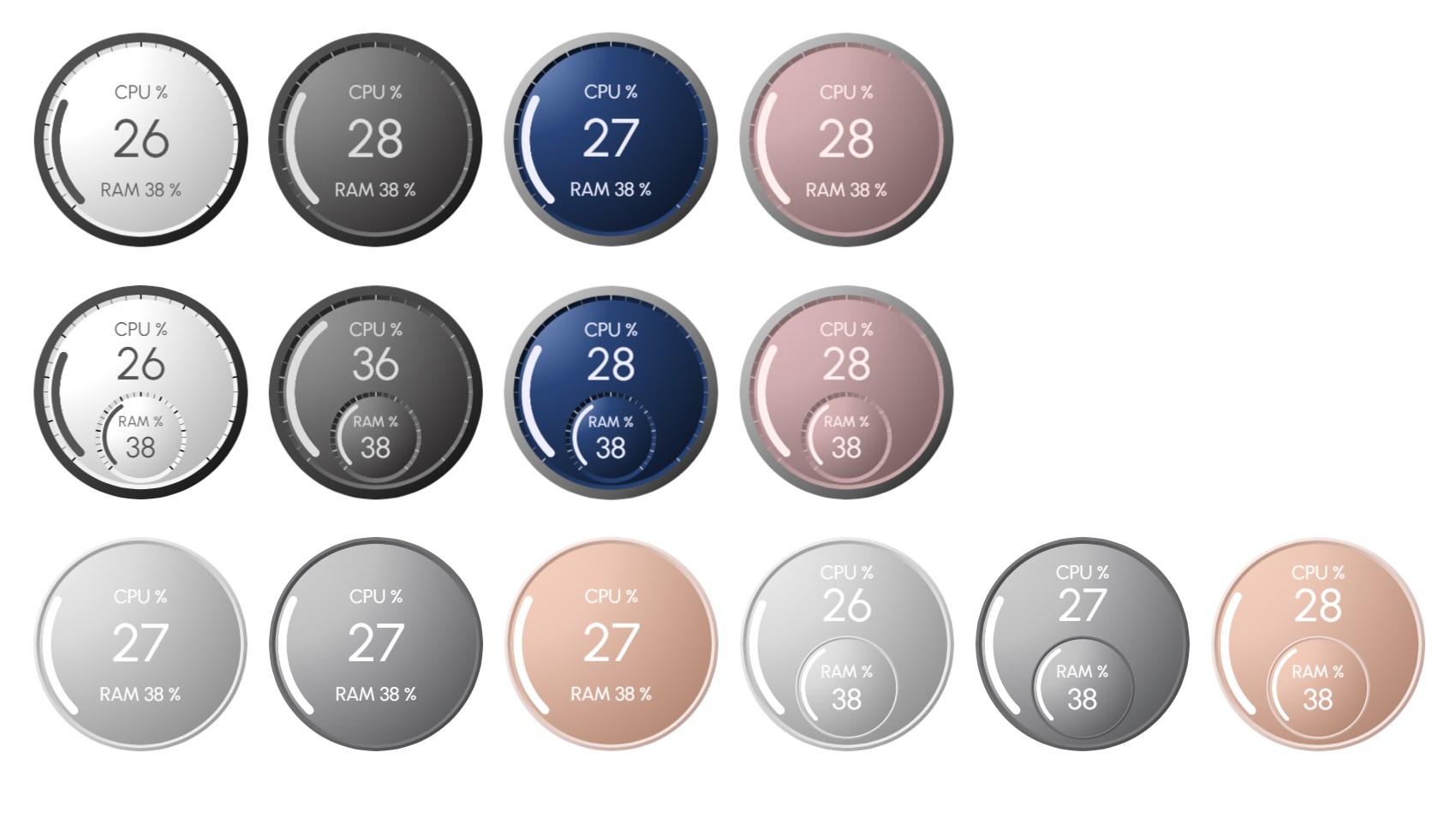
Lite is a free CPU and RAM gauge with four faces. Pro is a separate app with up to eight meters, 14 faces, GPU, VRAM and disk readings, red-zone alerts and a live process monitor.

Lite Edition

Essential CPU & RAM monitoring widget

Free forever
  • Overall CPU usage gauge
  • Memory (RAM) utilization gauge
  • Red-zone thresholds for CPU and RAM
  • Four faces: Simple Single in four colors
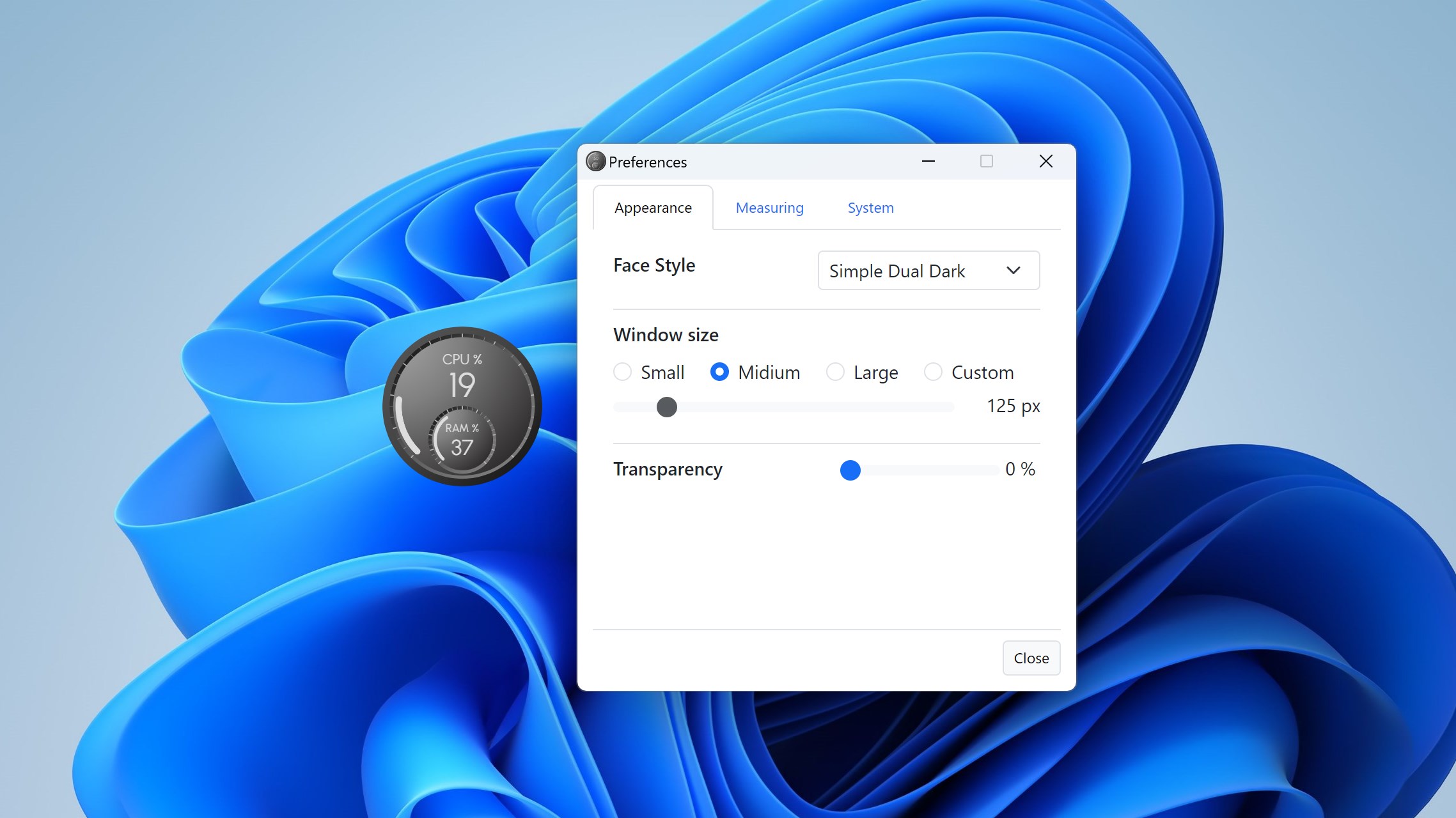
  • Transparency up to 90%
  • Pinned to desktop, always on top or normal
  • Update interval from 0.5 to 5 seconds
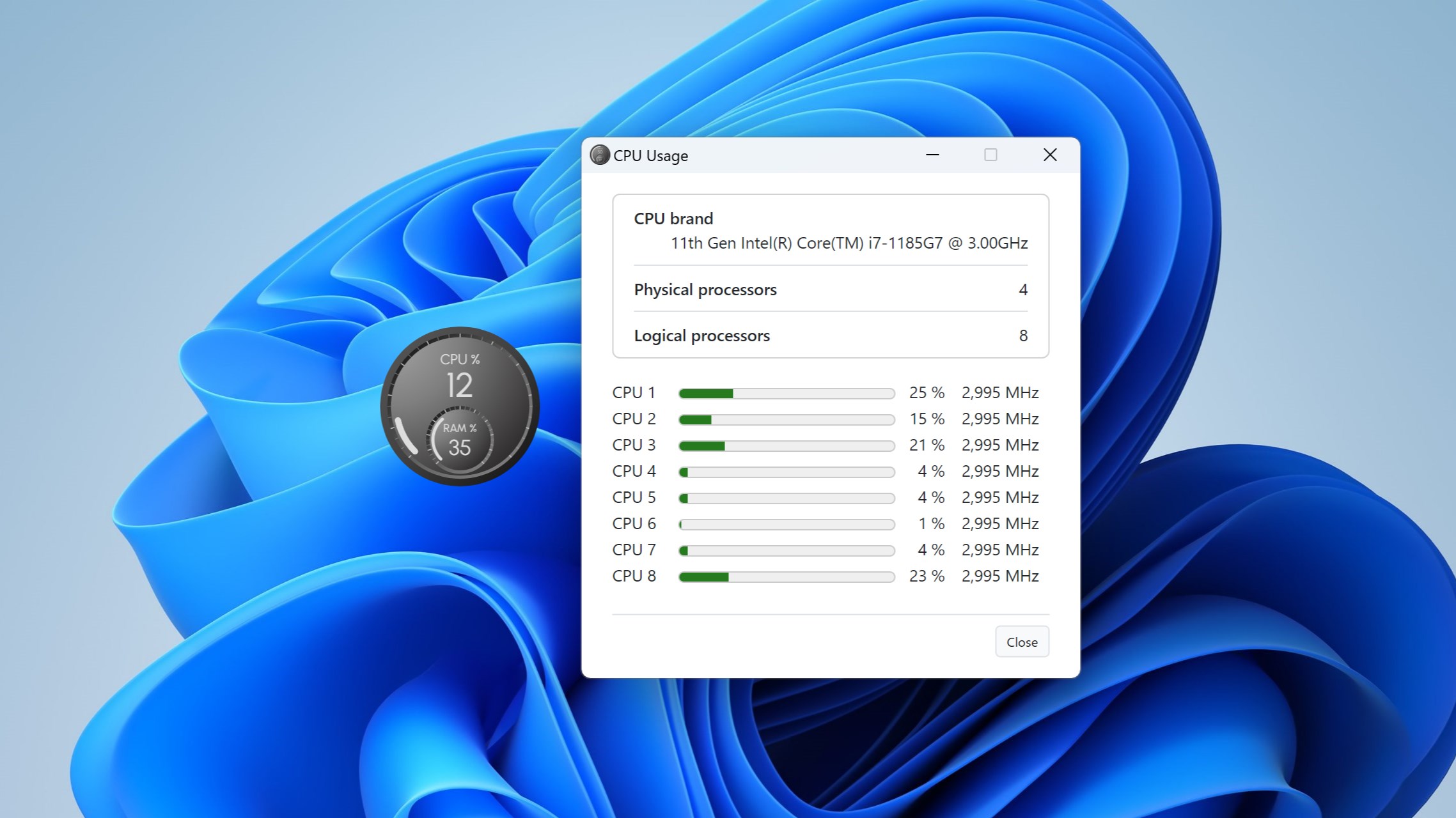
  • Per-processor CPU view and process list snapshot
  • Starts with Windows and remembers its position
  • Nine display languages and dark mode
  • Up to 8 meters, each with its own settings
  • GPU, VRAM and disk activity readings
  • Ten more faces: Nest and dual layouts
  • Any size from 64 to 512 pixels
  • Notifications that name the process responsible
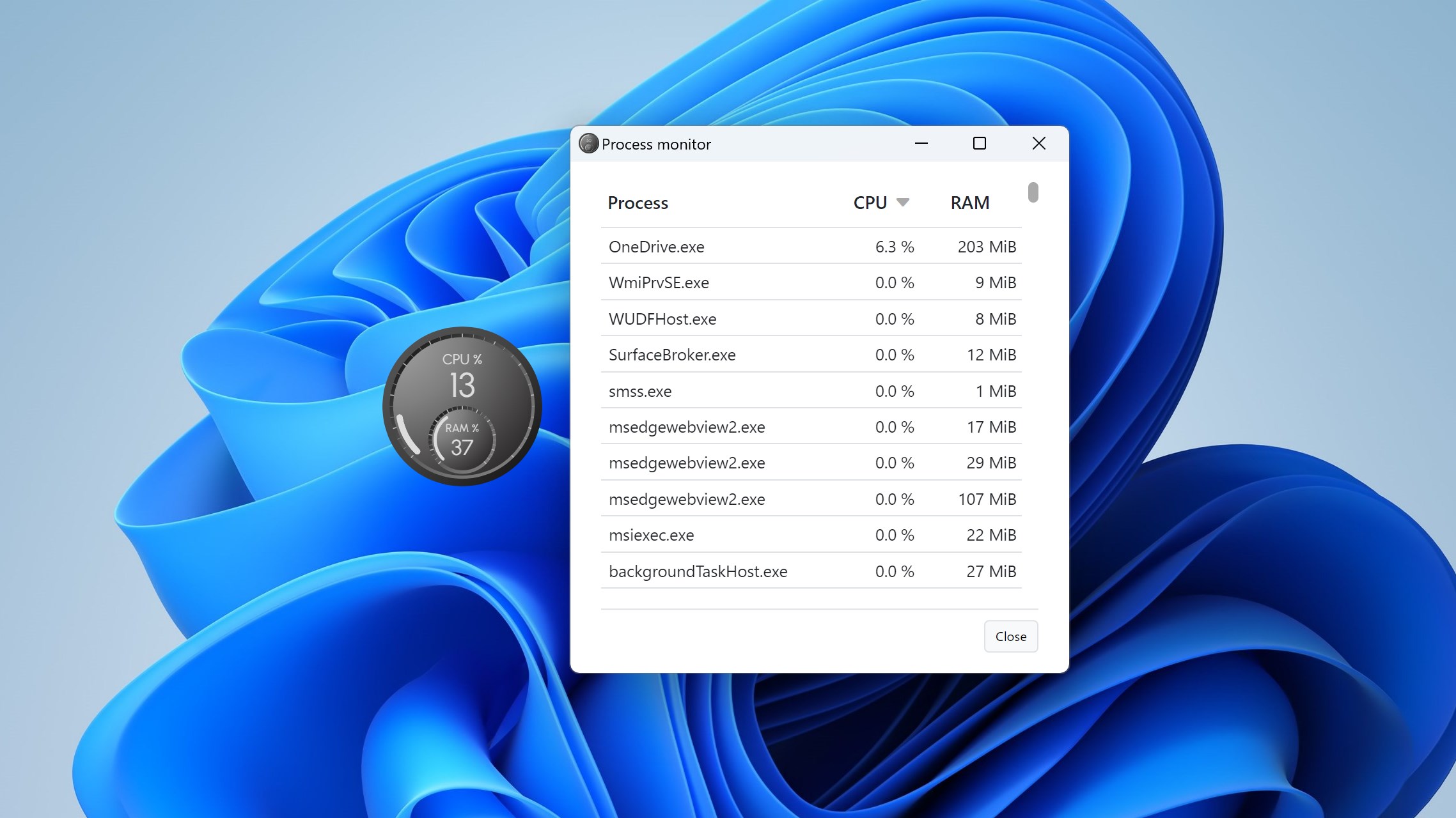
  • Live-updating process monitor
Get Lite Free

Pro is a separate app with its own page in the Microsoft Store, not an in-app purchase or an upgrade: buying it does not change Lite. Once Pro is installed, you can quit and uninstall Lite.

Pro Exclusive Features

What Pro Adds

Two Readings, Your Choice

Each meter shows a main reading on the large arc and a secondary one on the small arc: CPU, a single logical processor, RAM, GPU, VRAM or disk activity. Set the secondary to None for a clean single-value dial. GPU, VRAM and disk are offered when your PC provides them.

Red-Zone Alerts That Name Names

Set a threshold for each reading. When usage stays in the red for 5 seconds to 5 minutes, Windows shows a notification naming the process responsible. Click it and the process monitor opens.

Running Process Viewer

A live list ordered by CPU or RAM. Processes that share a name fold into one row with their combined usage, you can filter by name or PID, and End process checks the start time so a recycled PID is never mistaken.

Up to Eight Meters

Build a desktop dashboard with one meter for the CPU, one for RAM, one for the GPU and one for the disk. Each keeps its own face, size, transparency, layer and thresholds, and returns to the same place.

Gallery

See It In Action

The 14 faces in the Simple and Nest families, in single and dual layouts
Eight meters showing CPU, RAM, GPU, VRAM and disk readings
Appearance settings for face, transparency, size and window layer
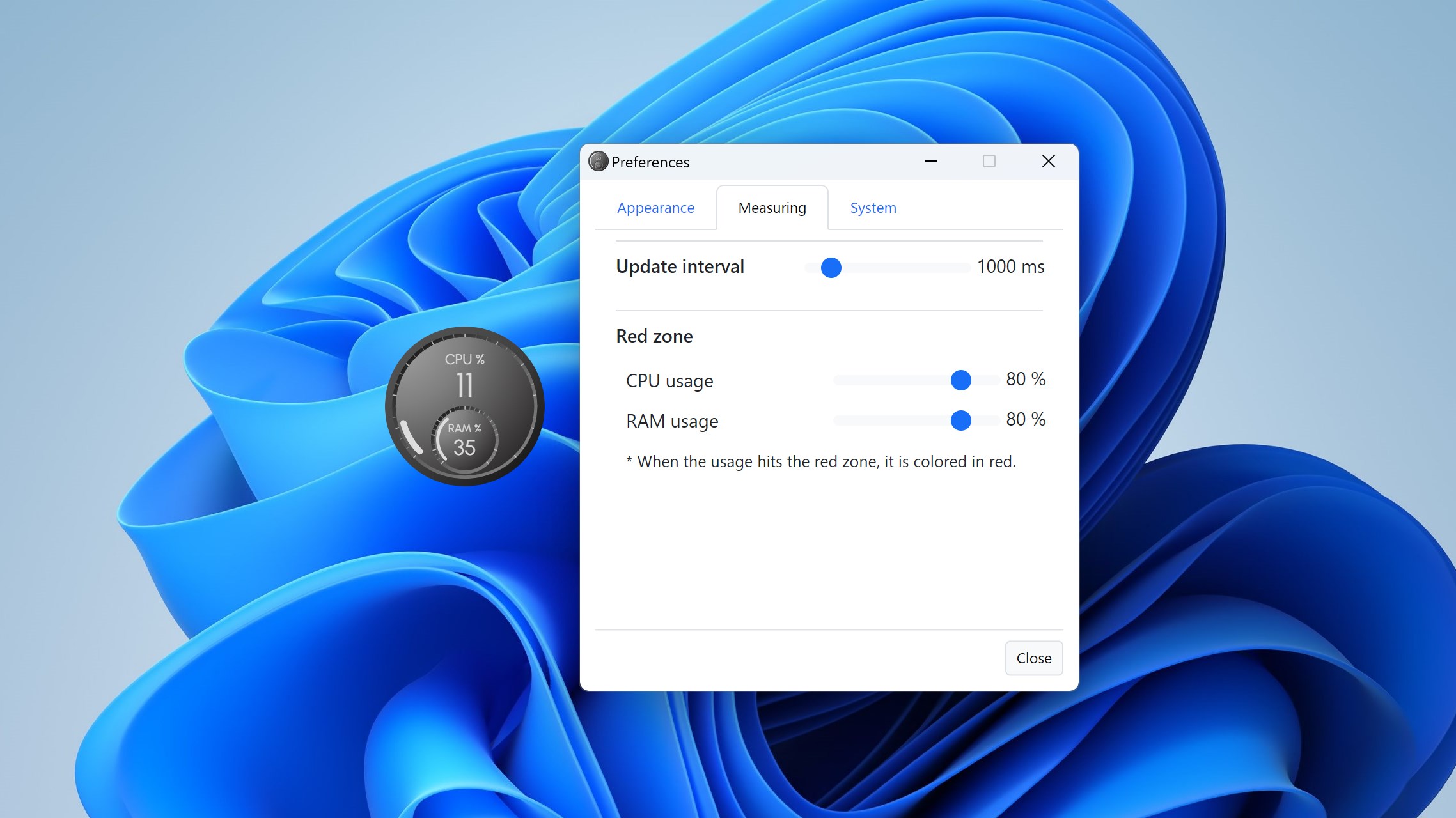
Measuring settings for the main and secondary readings and the red zones
Red-zone alert settings beside a RAM meter in the red
The live process monitor, sorted by CPU and filtered by name
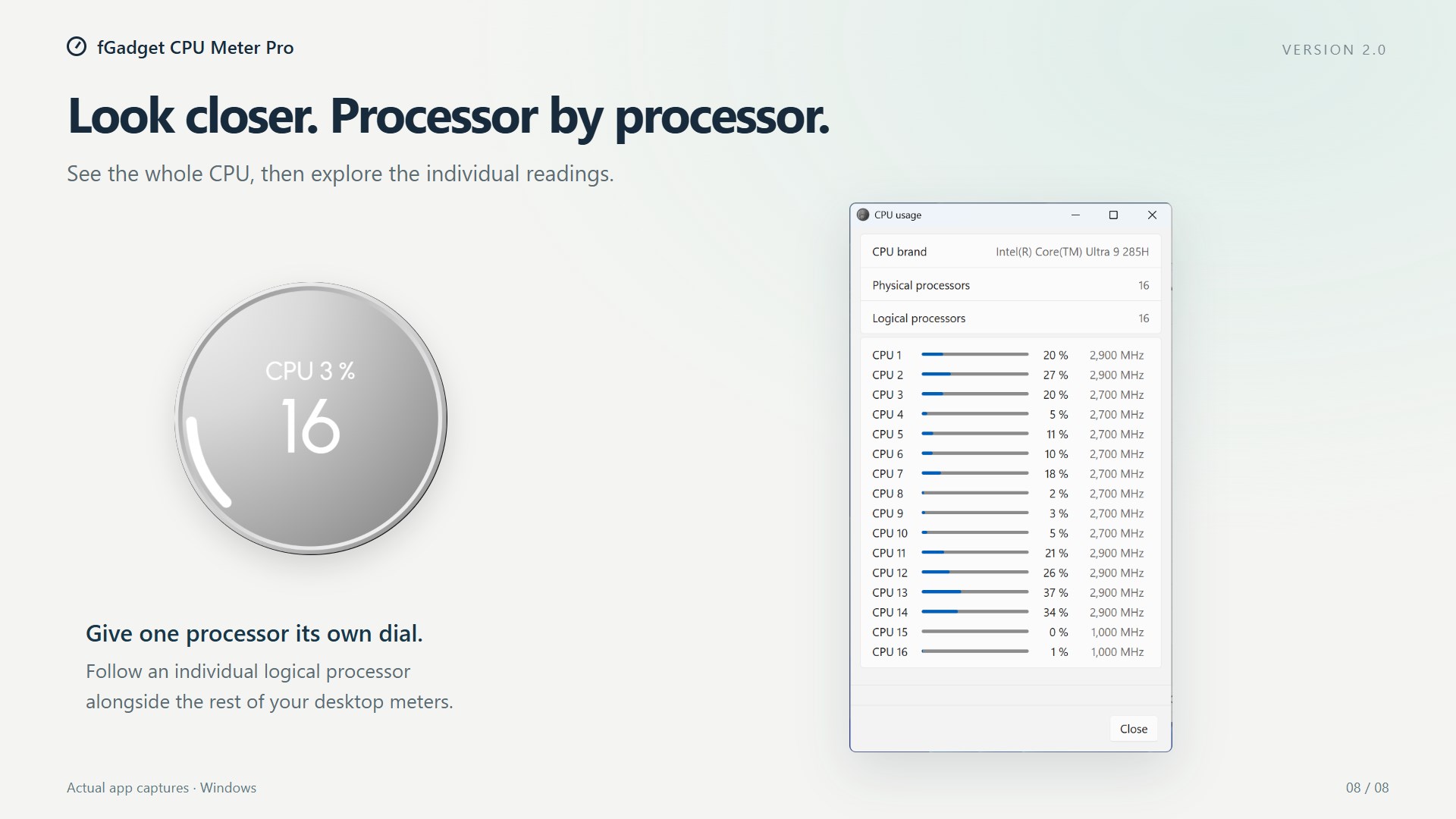
Usage and frequency for each logical processor in the CPU usage window

Get Started Today

Download from Microsoft Store

Supported OS: Windows 10 version 17763.0 or later, Windows 11
UI Languages: English, Japanese, Simplified Chinese, Traditional Chinese, Korean, Spanish, German, French, Portuguese
Architecture: x64 | Publisher: futomi Co., Ltd.
Privacy: 100% Local Execution, Zero Data Collection