fTool Media Converter Icon
Windows 11 / 10 100% Offline One-Time Purchase

Media Compressor, Converter & Metadata Cleaner

fTool Media Converter

Make any media file easy to share. Compress images, videos and audio to a target file size, resize them, convert them into a format that plays anywhere, and strip location and camera data before you send them. Everything runs on your own PC and nothing is uploaded.

No Subscription No Cloud Uploads Verified by Microsoft
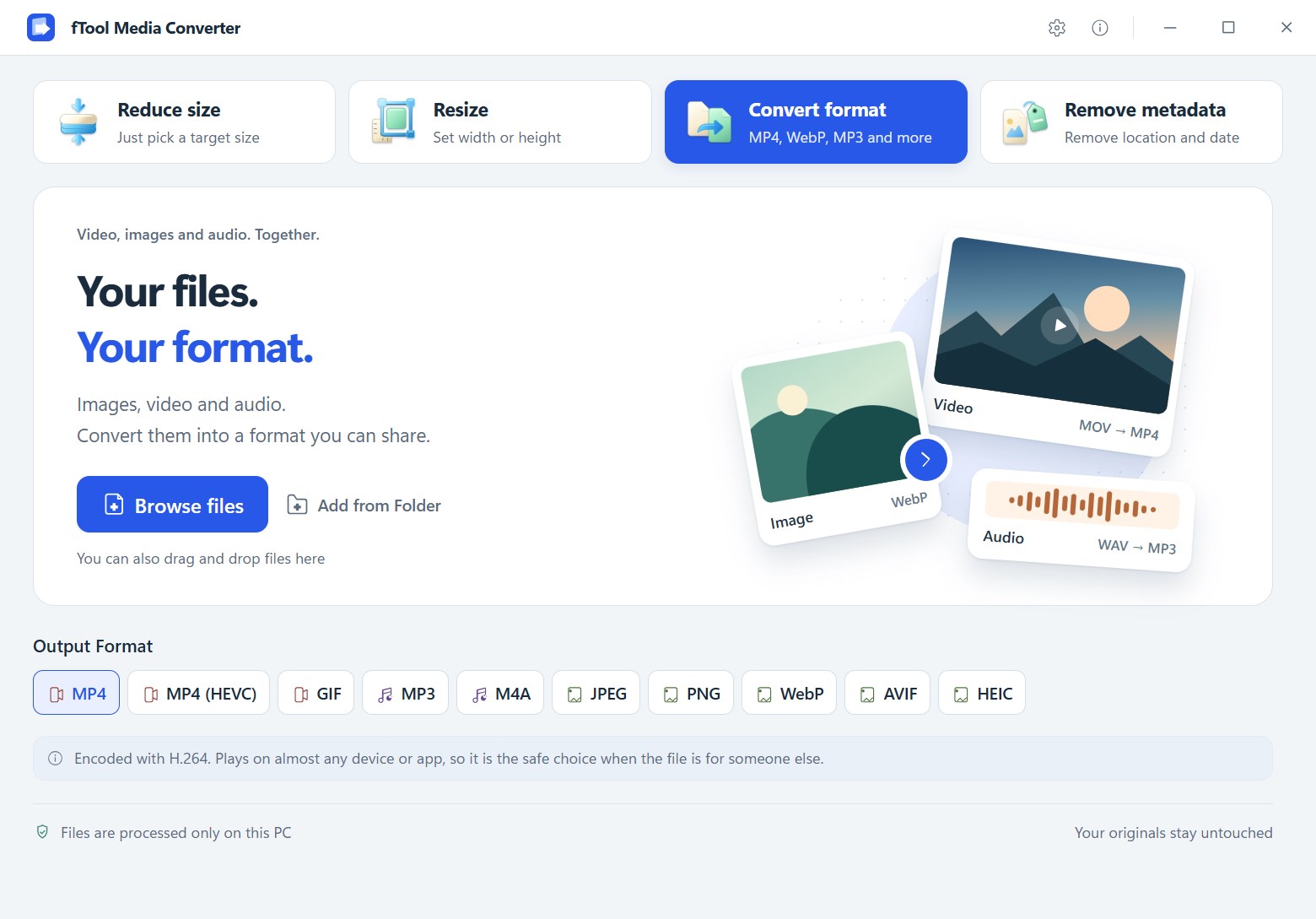
The fTool Media Converter start screen with Reduce size, Resize, Convert format and Remove metadata tabs and a row of output formats

Why fTool Media Converter

Share Files, Not Your Data

A video that is too large for Discord, a HEIC photo that will not open on someone else's PC, a picture that still carries the GPS coordinates of your home. fTool Media Converter fixes all three without sending a single byte to the cloud.

Hit a Target File Size

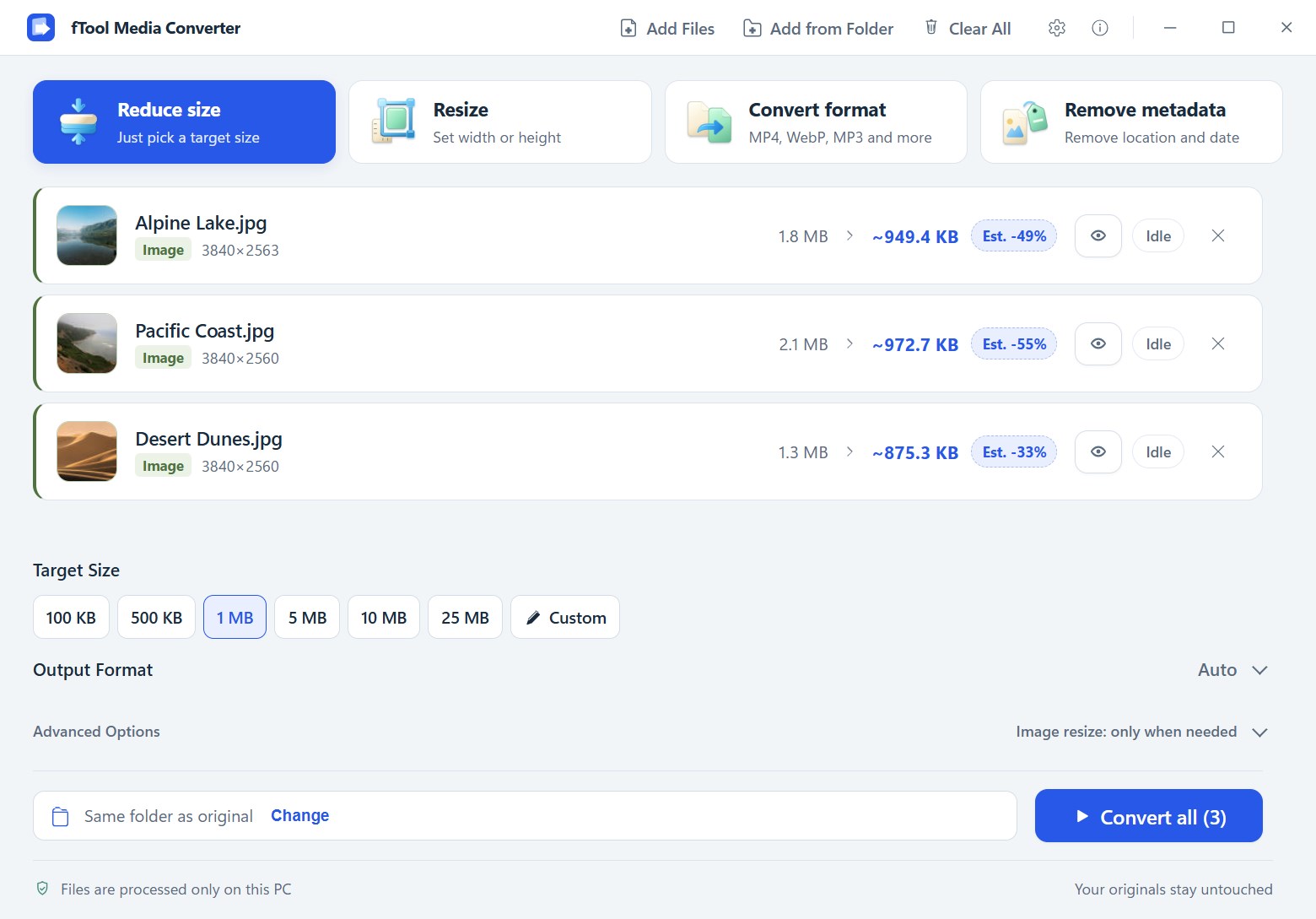
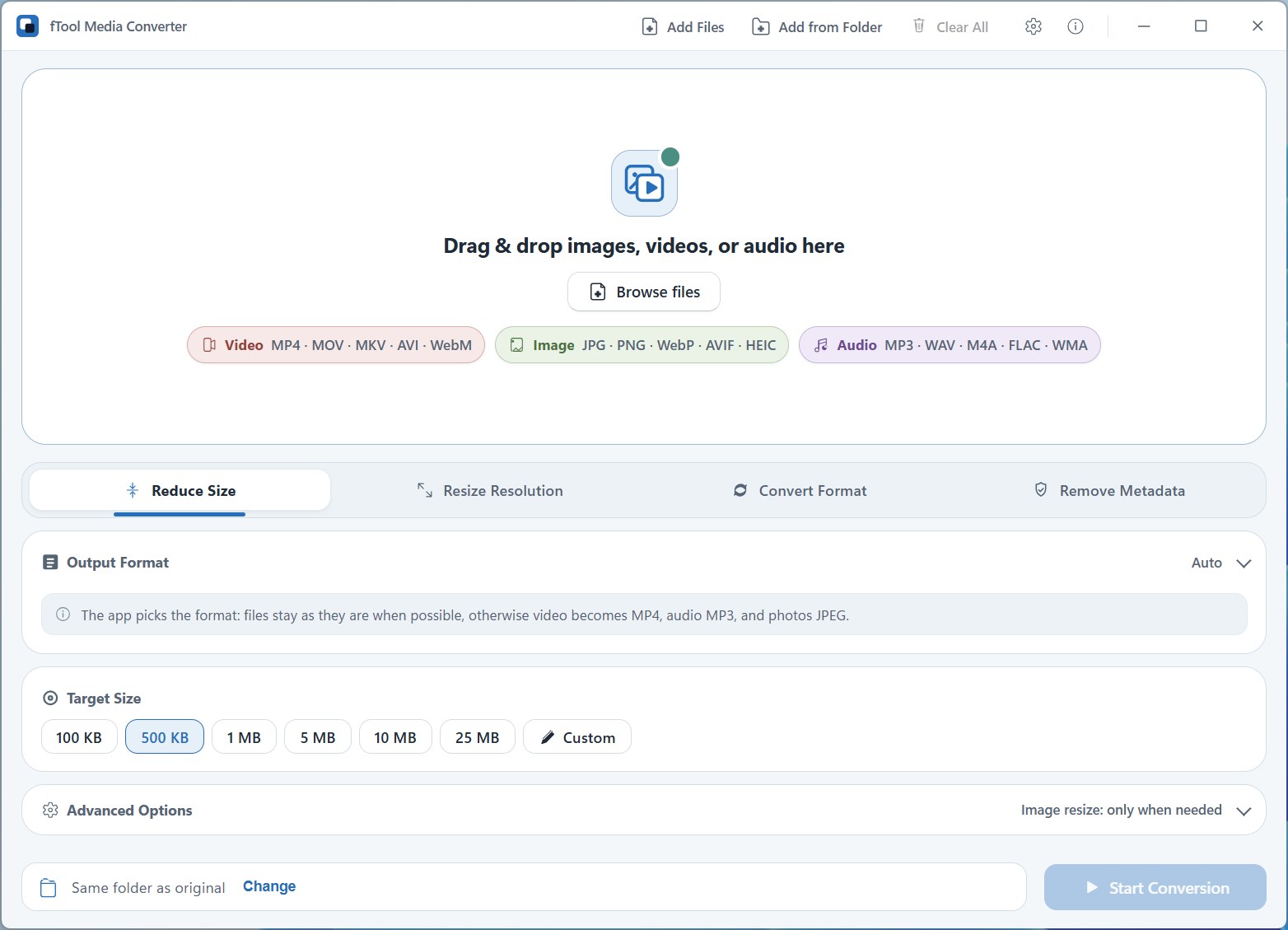
Pick 100 KB, 1 MB, 10 MB or 25 MB, or type any size you need. The app works out the resolution, bitrate and quality that fit within the limit, and shows the estimated result before you convert.

Lossless Metadata Removal

Strip GPS coordinates, capture dates, camera models and serial numbers from your photos without re-encoding a single pixel. The image stays exactly as it was, only the hidden data is gone.

100% Offline, No Account

No cloud uploads, no registration and no tracking. Your files are processed on your own PC and never leave it, and your originals are never overwritten.

What You Can Do

Four Jobs, One Window

Reduce Size to a Target

Choose a preset such as 25 MB for Discord or 10 MB for email attachments, or enter a custom size. Smart optimization finds the best balance of resolution, bitrate and quality so the file fits within the limit while looking as good as possible.

Resize Without Stretching

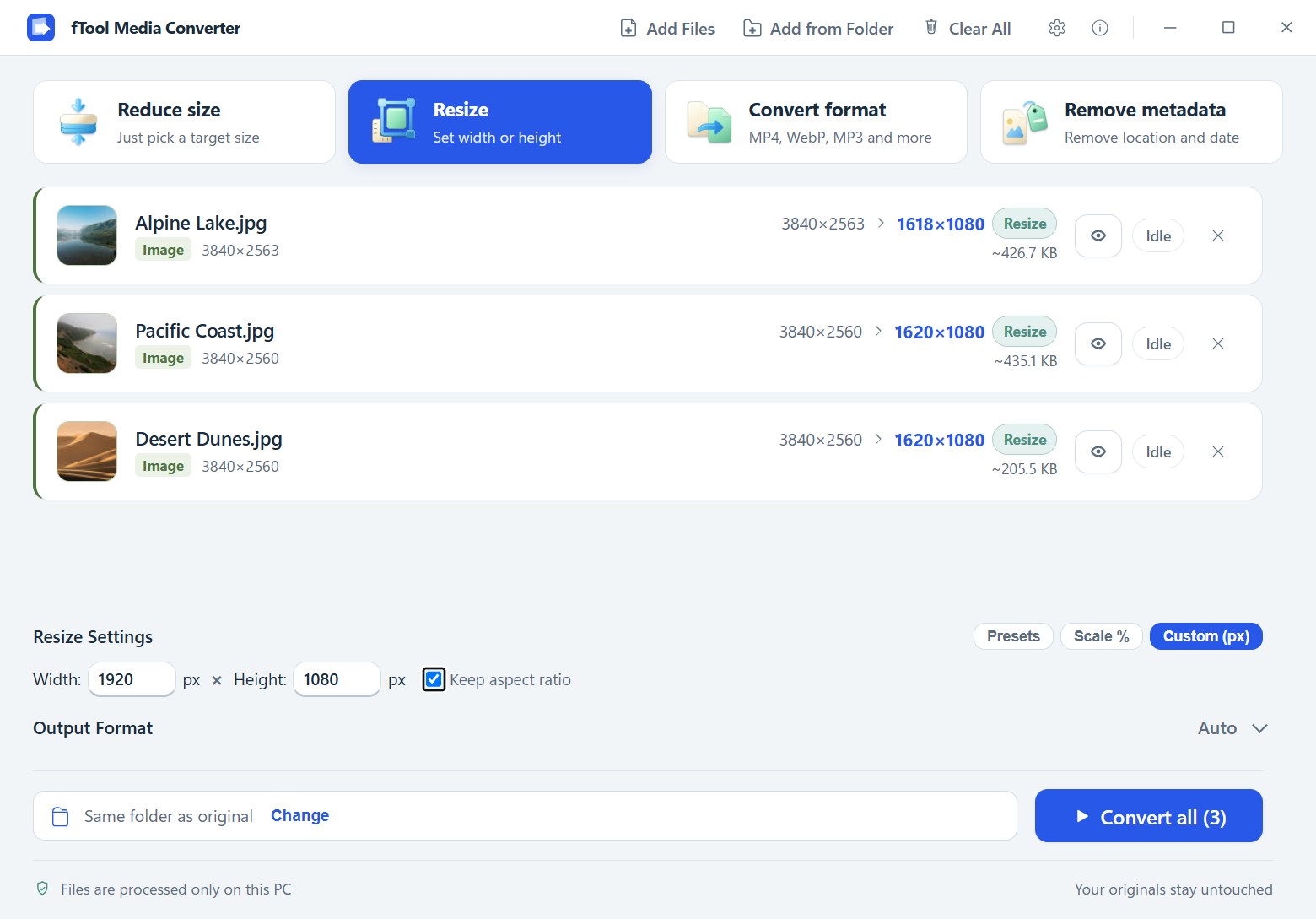
Scale images and videos to 25%, 50% or 75%, pick a preset, or enter exact pixel dimensions. Keep aspect ratio is on by default, so nothing ends up squashed or stretched.

Convert Between Popular Formats

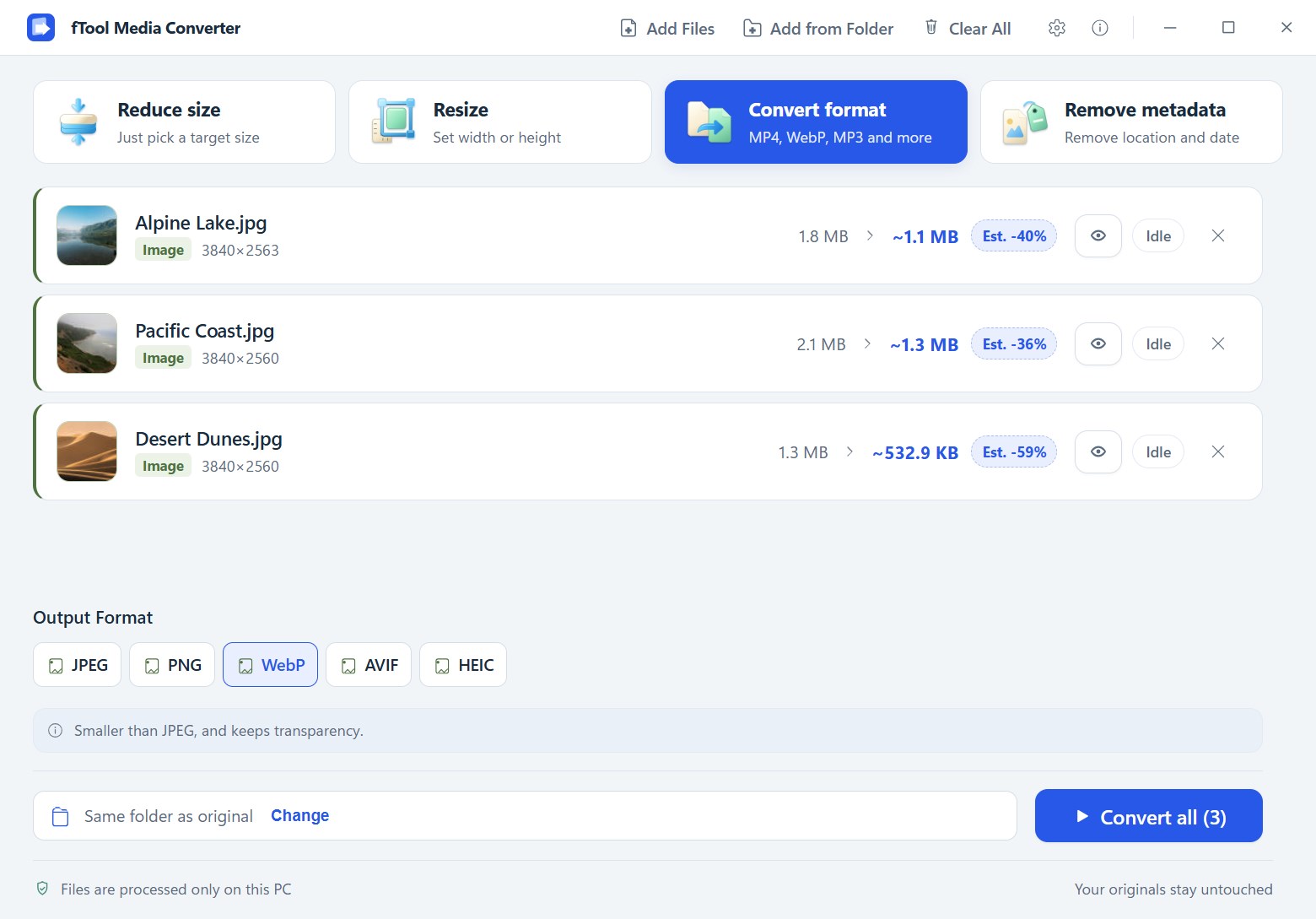
Turn HEIC photos into JPEG, a MOV clip into MP4, or WAV audio into MP3. Images, videos and audio can be mixed in the same batch, and Auto mode picks the most compatible format for sharing when you do not want to decide.

Remove Location and Camera Data

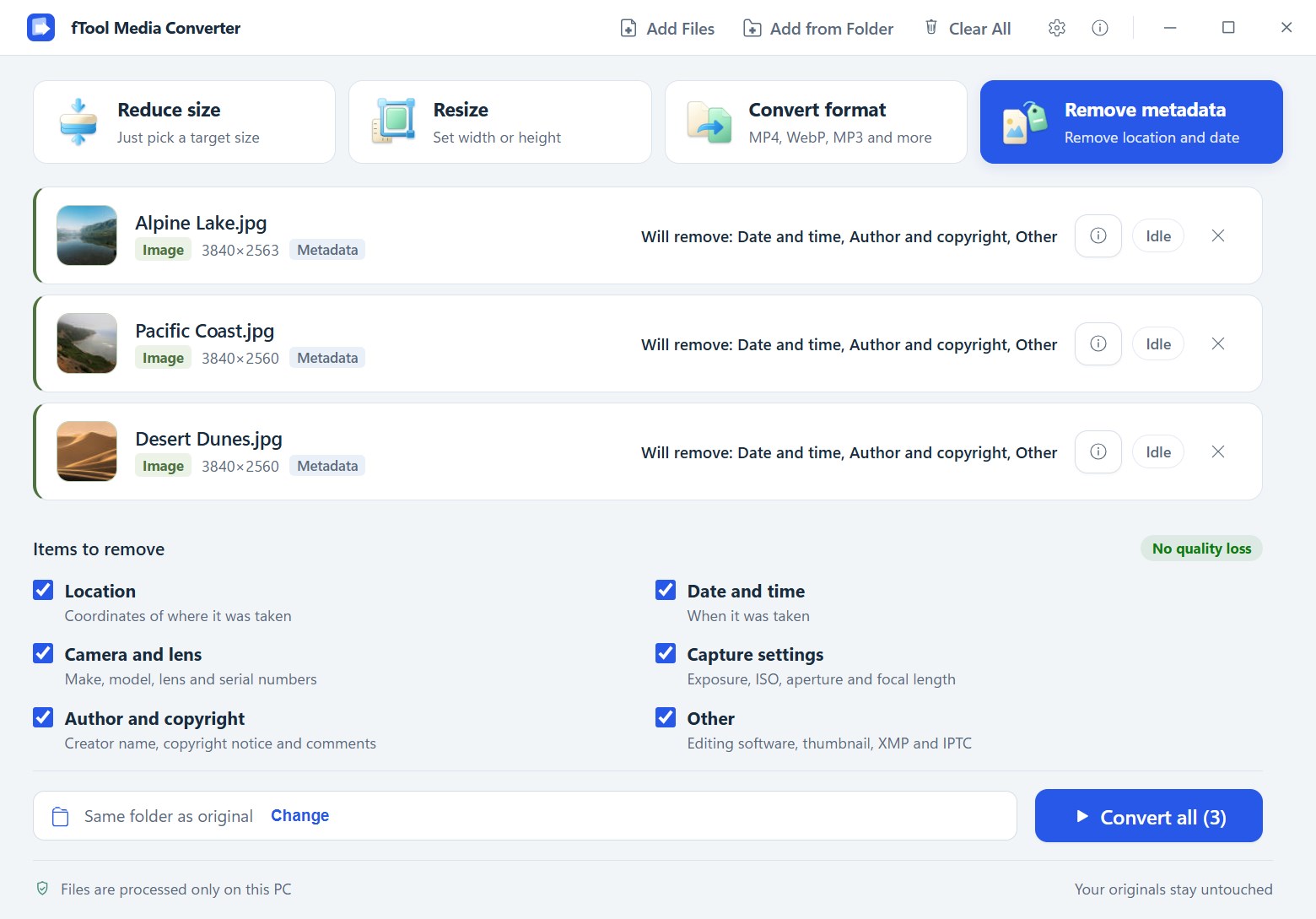
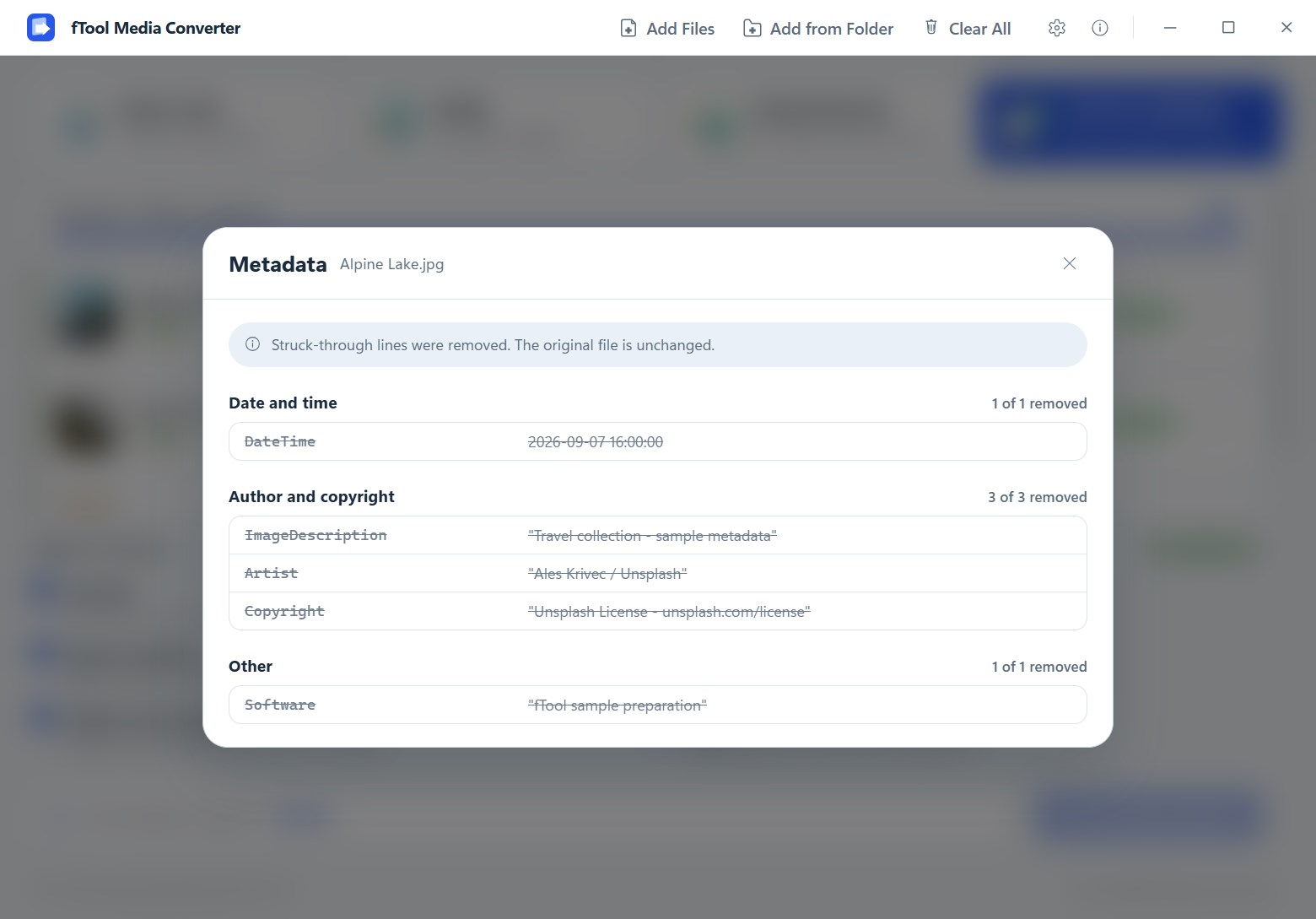
Choose which EXIF and XMP groups to remove: location, date and time, camera and lens, capture settings, author and copyright, or everything. Review the detected tags before and after, with removed values struck through.

Preview, Compare and Trim

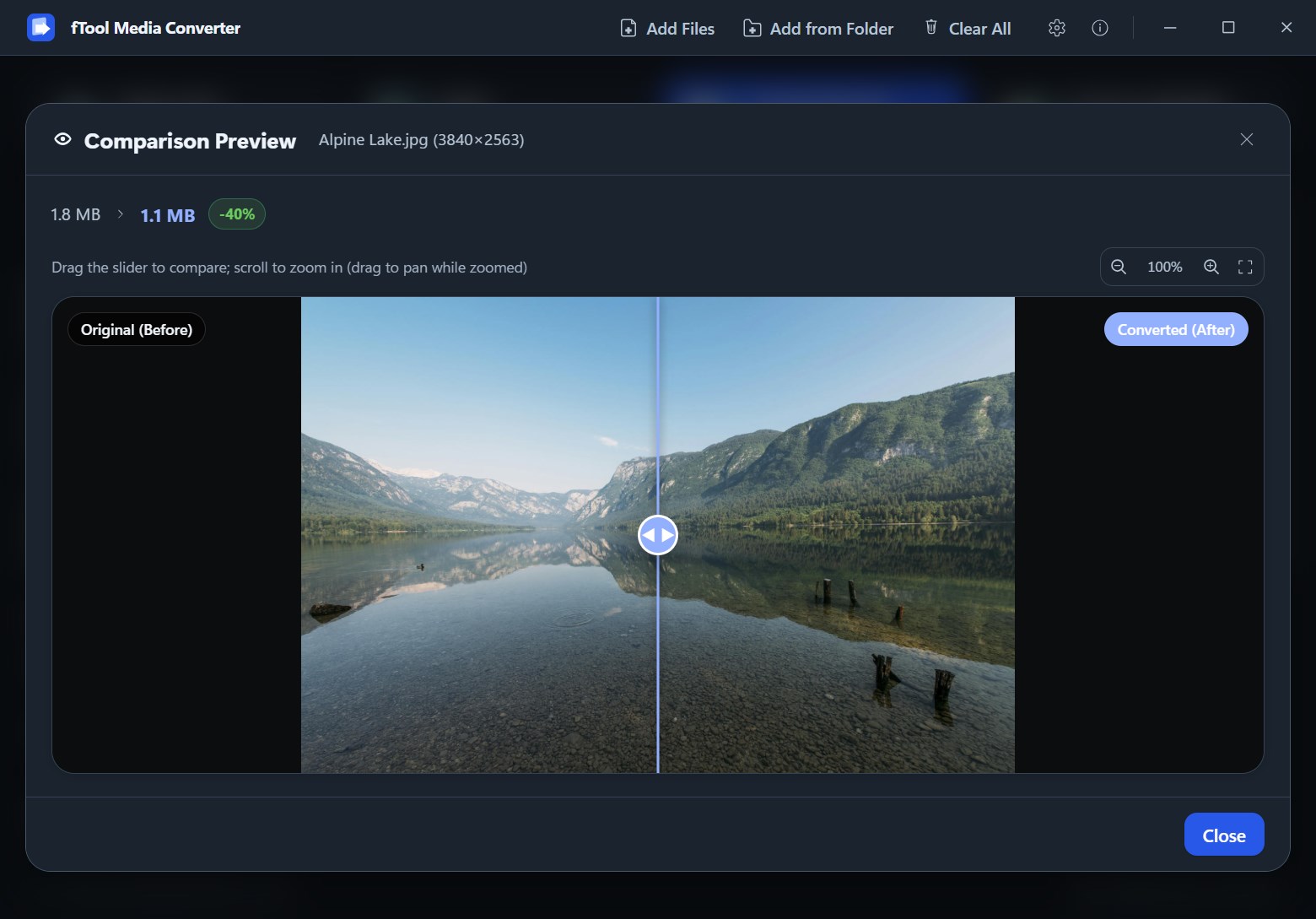
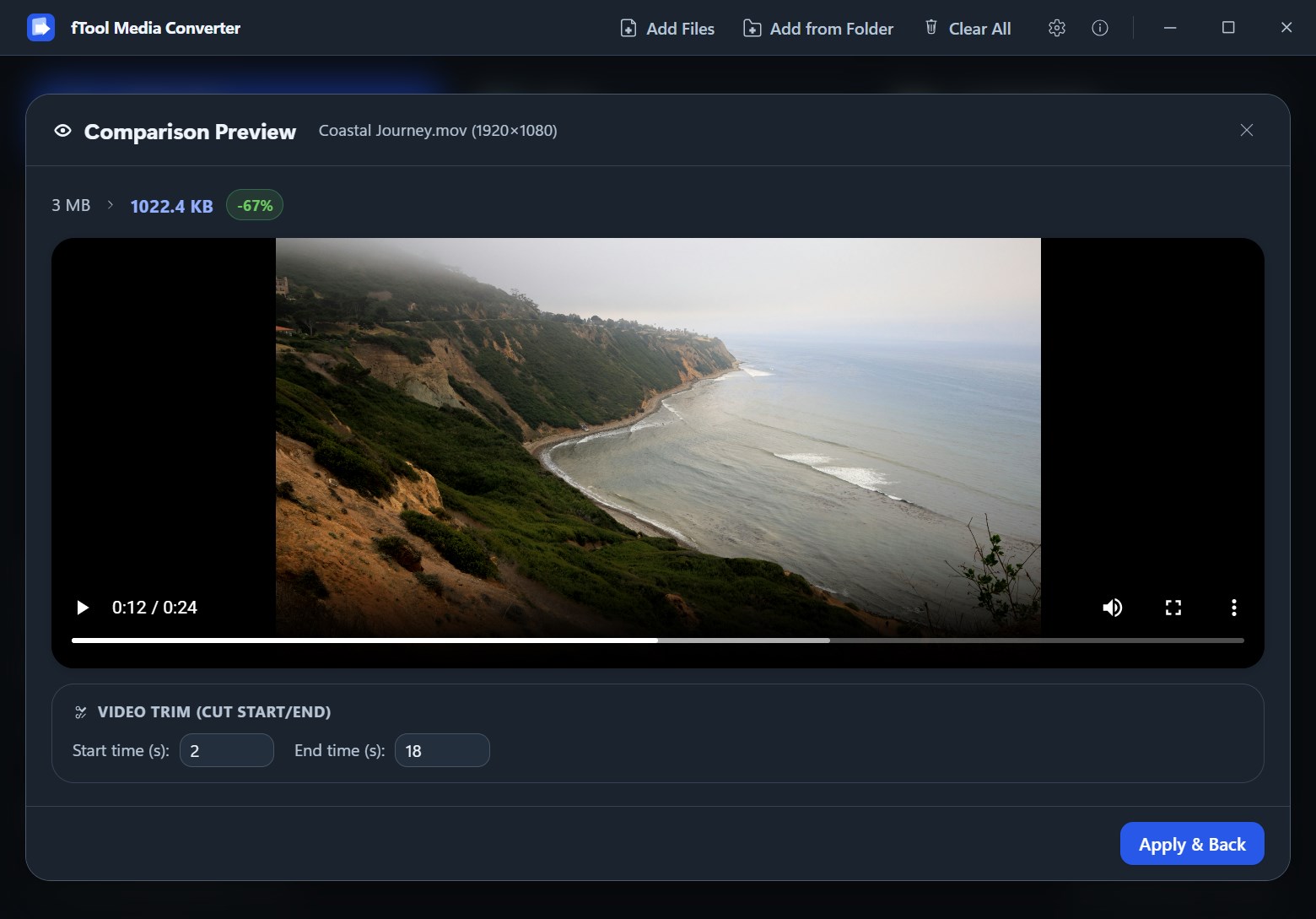
Drag a slider between the original and the converted image to check the quality yourself. For videos, play the preview and set start and end times to trim the clip before exporting.

Batch Processing, Originals Untouched

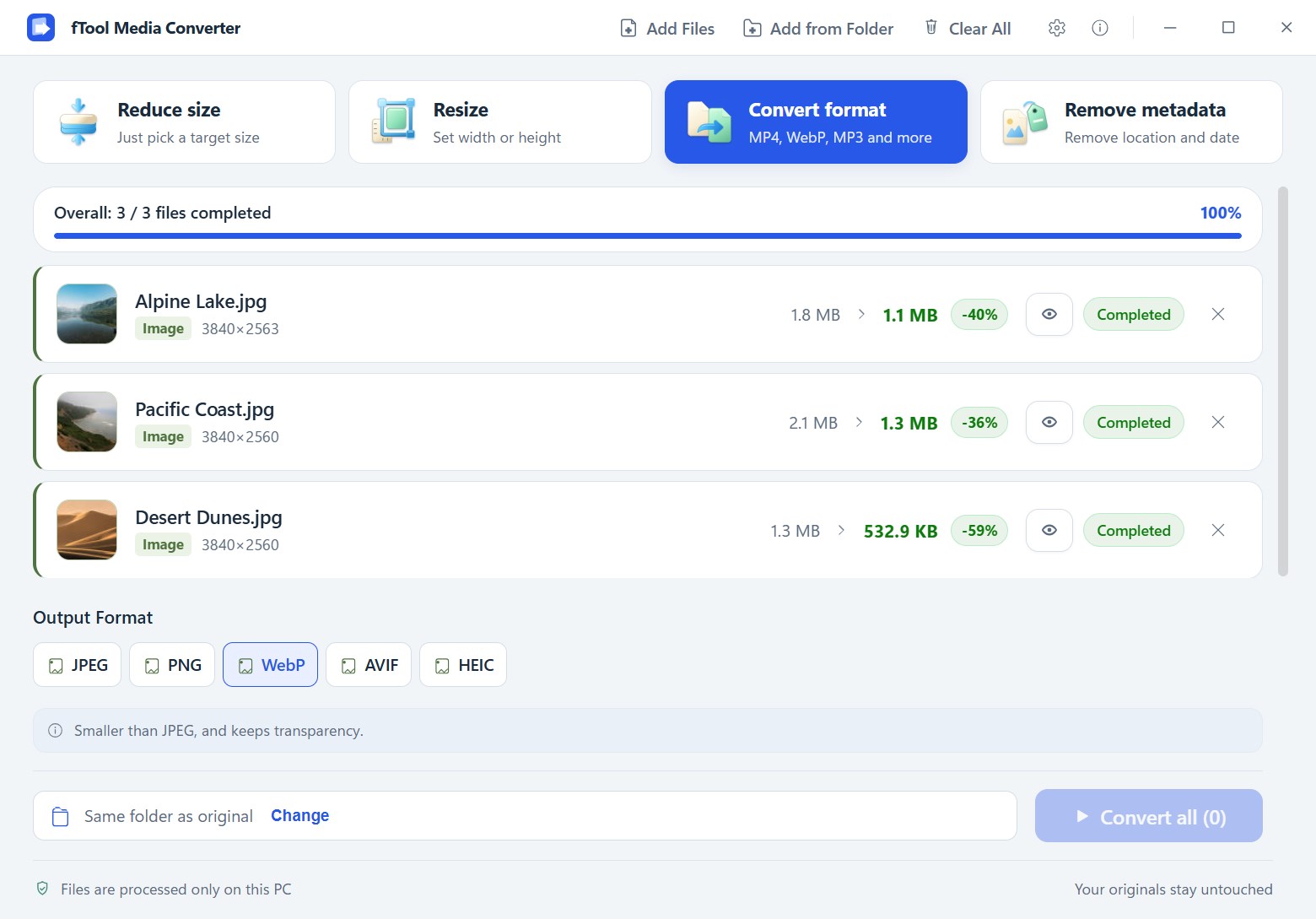
Drop a whole folder of files at once and convert them together. Each file shows its estimated size before and its actual size and space saved after, and the originals are never overwritten.

Your Data Stays Yours

Your Files Never Leave Your PC

Online converters ask you to upload the very files you are trying to protect. fTool Media Converter does all of its work locally, using native Windows performance.

  • No cloud uploads, no account registration and no tracking
  • Original files are never overwritten; converted files are written alongside them or to a folder you choose
  • Metadata removal cleans the container without re-encoding pixels, so image quality is untouched
  • Fast and lightweight, built on a modern native Windows architecture
  • Works on a plane, in a hotel, or anywhere without a connection

Pick an output format yourself, or leave it on Auto and let the app choose the format that plays on almost any device or app.

Output Formats
Images JPEGPNGWebPAVIFHEIC
Videos MP4 (H.264)MP4 (HEVC)
Audio MP3M4A (AAC)

Pricing

Try Everything for 7 Days

Install the free trial from the Microsoft Store and use every feature for 7 days. If it earns its place, buy it once and keep it. No subscription, no tiers.

Gallery

See It In Action

The Reduce size screen with three photos queued, a 1 MB target selected, and the estimated output size shown for each file
The Resize screen with custom width and height fields and the Keep aspect ratio option checked
The Convert format screen converting a batch of photos to WebP, with JPEG, PNG, AVIF and HEIC also available
The Remove metadata screen with checkboxes for location, date and time, camera and lens, capture settings, author and copyright, and other data
The metadata dialog after removal, with struck-through lines showing the values that were removed
Batch results showing three completed files with their new sizes and the percentage saved
The comparison preview in dark mode with a slider between the original and the converted image
The video preview with a trim panel for setting start and end times before exporting
A WAV file converted to MP3 with the resulting file size, and M4A available as an alternative

Get Started Today

Download from Microsoft Store

Supported OS: Windows 10 version 17763.0 or later, Windows 11
UI Languages: English, Japanese, Simplified Chinese, Traditional Chinese, Korean, Spanish, German, French, Portuguese
Architecture: x64 | Publisher: futomi Co., Ltd.
Trial: Try every feature free for 7 days
Privacy: 100% Local Execution, Zero Data Collection